

Written By
Adishka Nimsara
INT/IOS
Apple is transforming the AI landscape with Foundation Models that run entirely on your device. By removing the need for the cloud, this approach is deeply integrated, privacy-focused, and ideal for developers building iOS products. This is not just hype the real value lies in practical, everyday applications across various industries.
This shift is not only about adding chatbots or “summarize” buttons. It is about building unique, privacy compliant experiences that are difficult for competitors to copy, all while keeping costs low and performance high.
Where On‑Device AI Works Best
On-device Foundation Models unlock practical use cases across many domains
- Healthcare: Summarize patient notes or analyze health data securely on-device.
- Fintech: Parse financial documents or auto generate reports without cloud processing.
- Consumer Apps: Personalized assistants for travel, fitness, or shopping that work anywhere.
- Smart Home: Voice-controlled assistants that manage routines and energy use locally, with no external data sharing.
Because this runs locally, user data never leaves the device.
Why On‑Device Beats Cloud‑Only AI
Moving AI directly onto the hardware instead of relying on cloud models provides four clear advantages

| 1. Privacy | No data harvesting or external sharing, as your data stays entirely on the device. |
| 2. Speed | Inference is near-instant because there is no network lag. |
| 3. Cost | You avoid expensive per-request API fees from cloud providers. |
| 4. Reliability | Features work offline with zero downtime. |
Apple’s on-device stack allows you to ship sophisticated features without being tethered to external AI companies.
The Power of Apple Silicon and MLX
To make its ecosystem even more flexible, Apple introduced MLX, an open-source machine learning framework built specifically for Apple Silicon.
Key Concepts
- Efficiency: MLX is an array-oriented framework optimized for Apple’s Unified Memory Architecture. This allows the CPU, GPU, and Neural Engine to share data seamlessly, making model execution incredibly efficient.
- Developer Friendly: It supports Python, C++, and Swift, allowing ML researchers and app developers to use the same tools.
- Flexibility: With MLX, teams can experiment with and adapt external models (like open-source LLMs) to run natively on Apple hardware.
The Strategy
- Use Apple’s Foundation Models (via the Apple Intelligence SDK) for core, system level features.
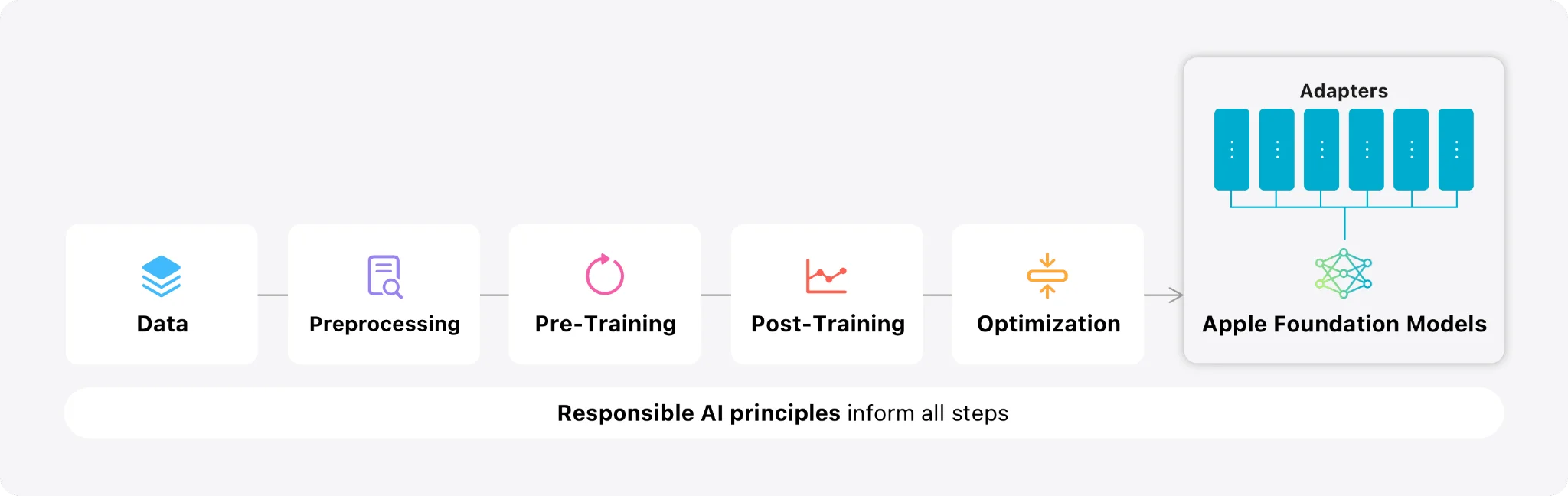
- Use MLX and Core ML when you need to bring in custom or third-party models that must run efficiently on the device.
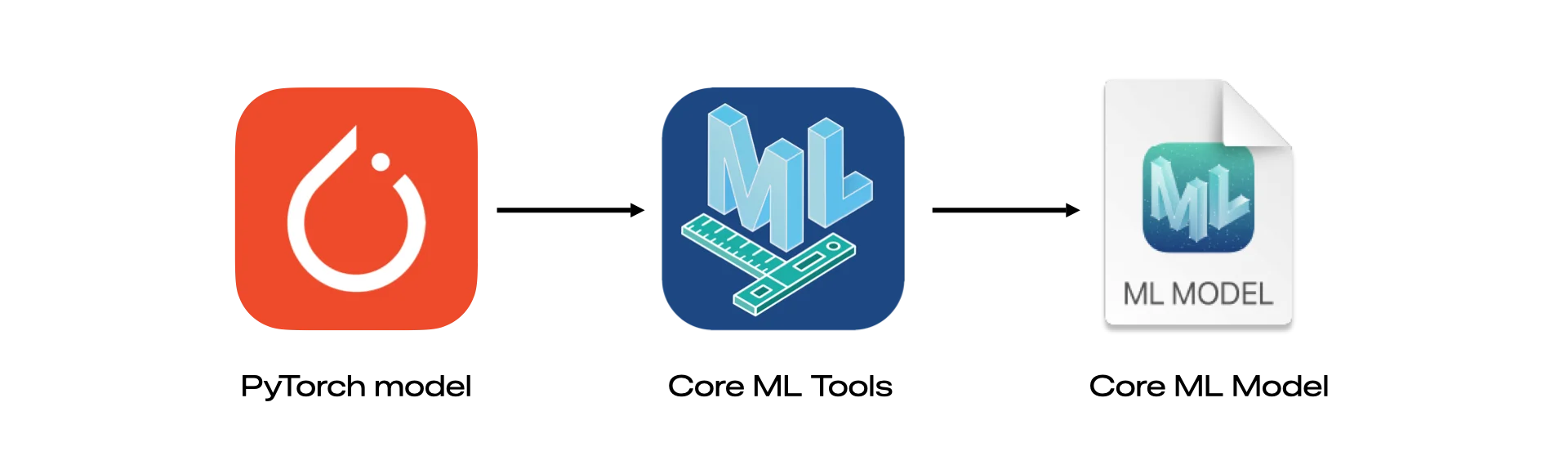
This combination gives you the flexibility to choose the right model for the job while maintaining a privacy first approach.
Understanding the Performance Realities and Limitations of On-Device AI
While Apple’s on-device models are powerful, they are designed with specific limits to keep your iPhone running smoothly. Most of these models have around 3 billion parameters. This makes them incredibly fast for small tasks but means they struggle with very complex coding, advanced math, or deep trivia.
To build a great app, you need to navigate these four core areas
- Context Limits: These models aren’t meant for massive documents. If you are processing a long book, you’ll need to split it into chapters or shorten the text.
- Rate Limits: You can’t send hundreds of requests at once. Apple limits how fast you can query the model to save the user’s battery. Developers should use a “queue” or wait a moment between tasks.
- Device Gating: These features only work on newer hardware (like the A17 Pro chip or M1 chips and later). You must always have a “fallback” plan (like a cloud model) for users with older devices.
- Capability Gaps: The models are excellent at creating structured data (like JSON) but might lag behind giant cloud models for scientific questions.
Pro Tips for Developers
If the built in model is not quite enough for your specific app, here is how top developers are winning
- Use Adapters: You can use tools to train “Fine-tuning” layers (called LoRAs). This can actually make a small Apple model outperform GPT-4 on very specific, niche tasks.
- Smart UI: Don’t make the user wait for the whole answer. Use SwiftUI to show “snapshots” of the text as it is being generated so the app feels instant.
- Hybrid Designs: Use Apple’s models for simple, fast tasks and switch to MLX or the cloud for heavy-duty processing.
- Prompt Discipline: Use the @Generable type in your code. This tells the system exactly what kind of data you want, which increases speed and accuracy.
Apps like SmartGym are already using these techniques to provide fitness insights entirely offline, proving that with a little bit of “tuning,” on-device AI is ready for professional use.
What Comes Next
Apple devices grow more powerful with every hardware generation. As the Neural Engine evolves, on-device AI and frameworks like MLX will become even more capable.
Soon, users will expect AI assistance as a standard feature, just like Face ID or Dark Mode. If you are planning an iOS roadmap that is cost-efficient and future proof, now is the time to start. Apple’s Foundation Models and its specialized silicon make it easier than ever to ship meaningful on-device intelligence.